How to Purchase a Phone Number
A tracking number is the number your customers call. Buying one takes a few minutes and the cost comes out of your account balance. The screenshots use sample data, so the numbers you see will be different.
5 min read · 7 steps
Before you start
- A CallRing AI account (see the first guide)
- Enough balance on your account to cover the number
- A name for the number, such as “Main Sales Line”
-
Step 1: Open Numbers and click Add Number
In the left menu, click Numbers. Then click Add Number.
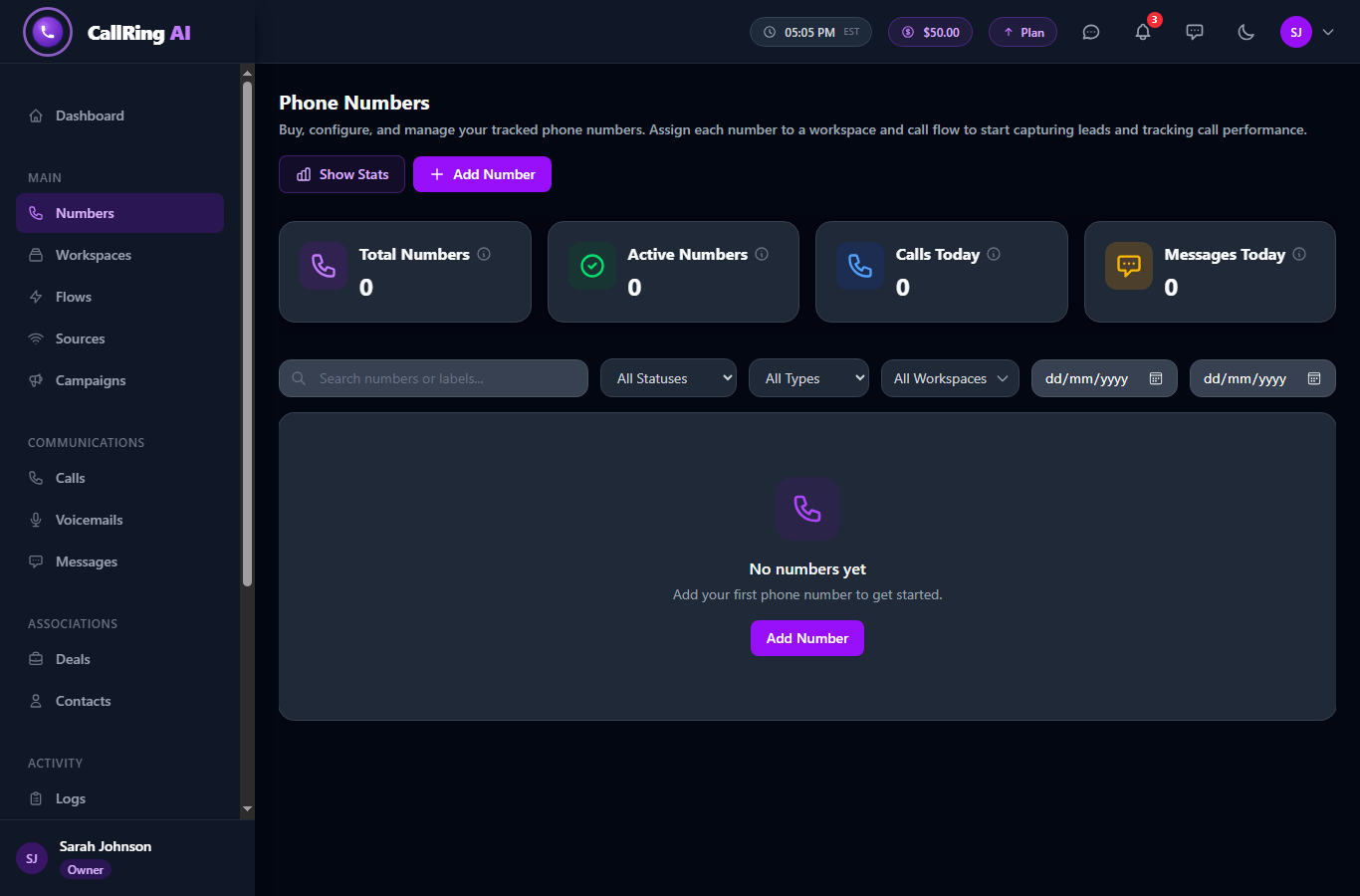
Open Numbers and click Add Number -
Step 2: Choose your purchase type
Choose Single Number Purchase to buy one number.
- Bulk Number Purchase lets you buy up to 6 numbers at once. It is only available on some plans. If it is locked, it shows “Not in your plan”.
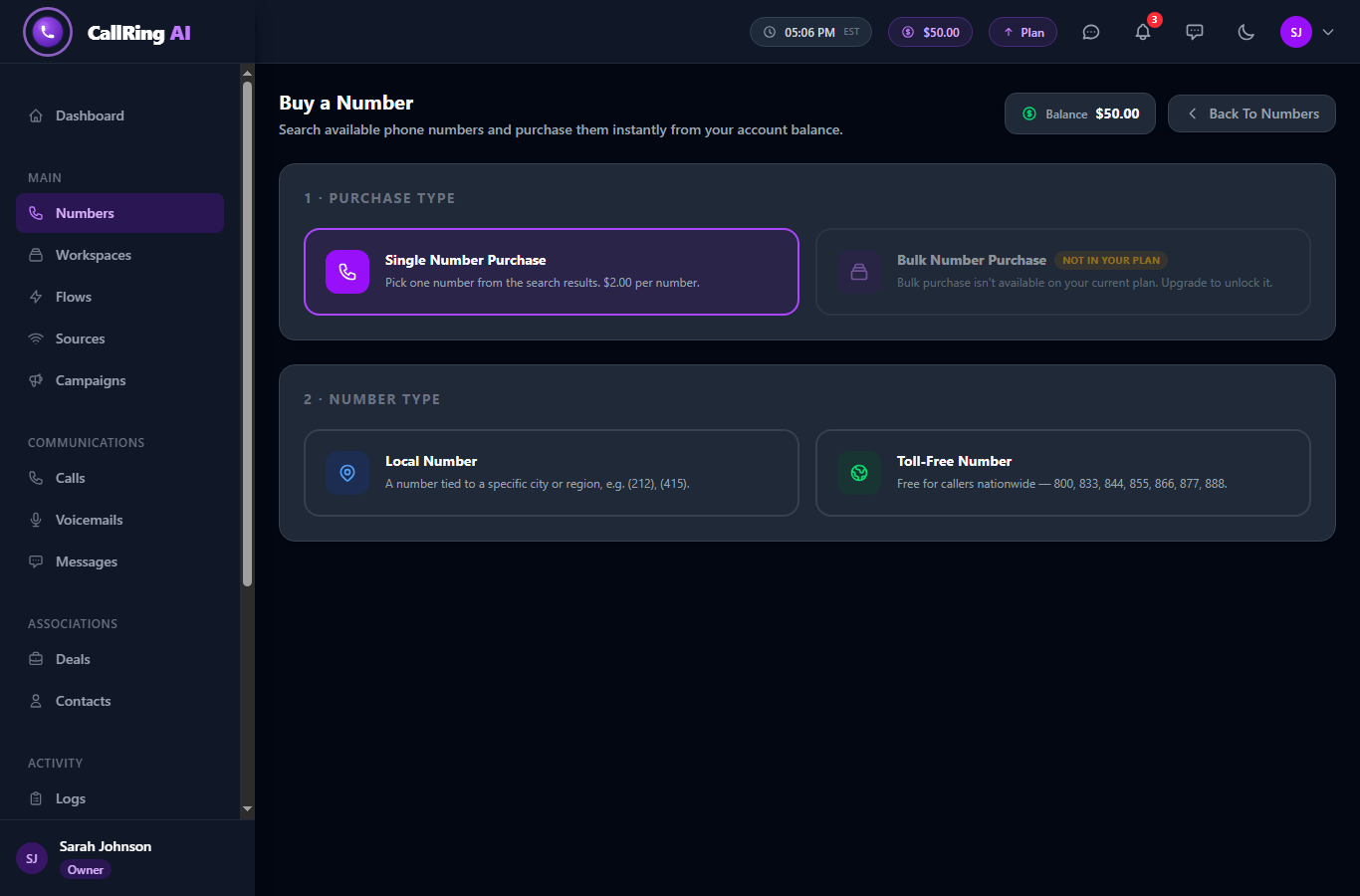
Choose Single purchase, then Local or Toll-Free -
Step 3: Choose your number type and check the price
Choose Local Number or Toll-Free Number. A banner then shows the price per number.
- Local Number is tied to a city or region, for example (415).
- Toll-Free Number is free for callers nationwide. It starts with 800, 833, 844, 855, 866, 877 or 888.
- The price is $2.00 by default, or the price on your plan. The banner also shows any free numbers included in your plan.
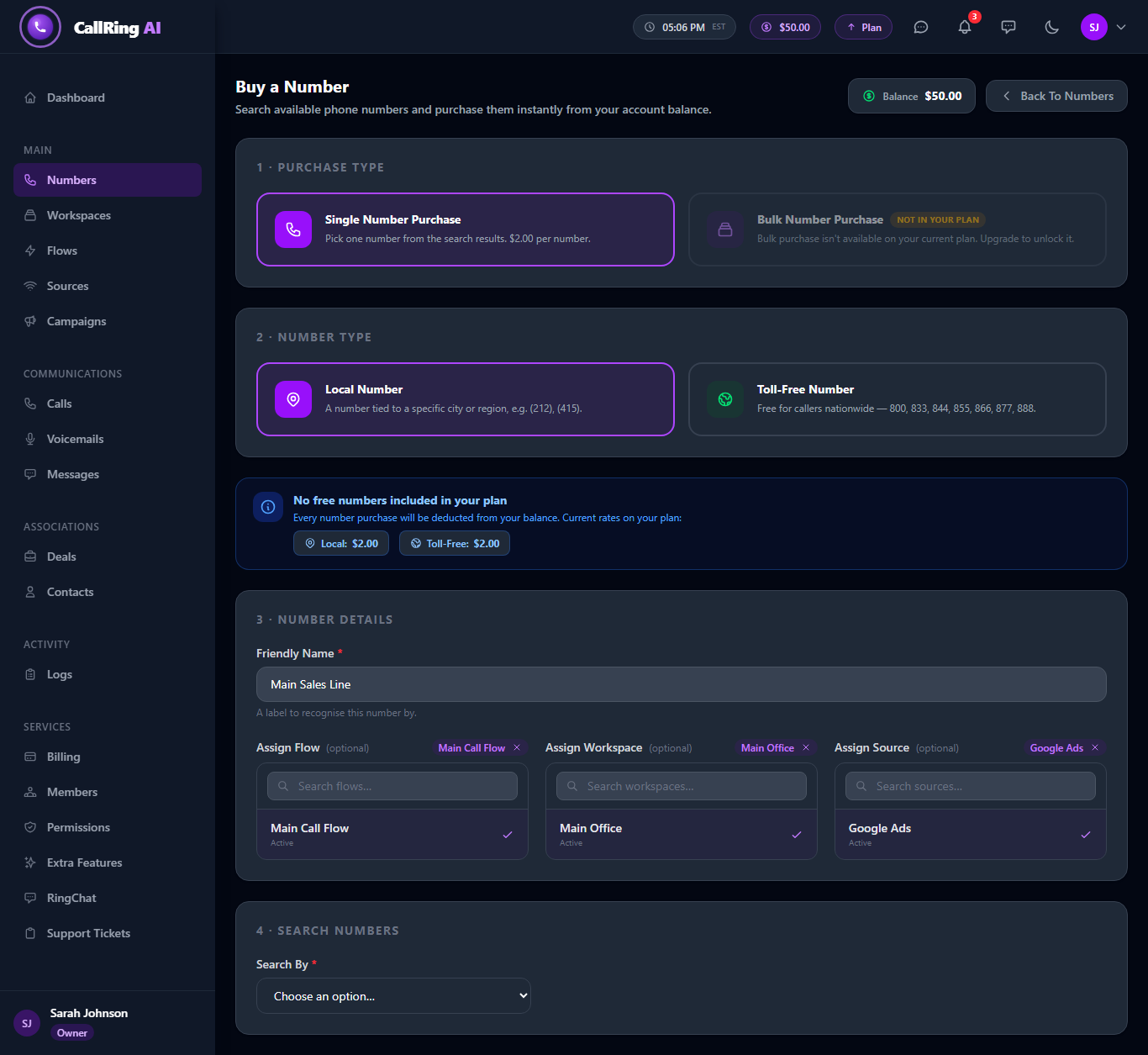
Check the price, name your number and assign where its calls go -
Step 4: Name your number and choose where calls go
Under Number Details, type a Friendly Name. It is required. For example, “Main Sales Line”.
- Optional: assign a Flow, which decides what happens to calls.
- Optional: assign a Workspace.
- Optional: assign a Source, which shows where the lead came from.
- You can change all of these later.
Tip: Haven’t built a call flow yet? Leave Flow empty for now. The next guide shows how to create one and connect it to your number. -
Step 5: Search for a number
In Search By, choose Area Code or Contains. Enter your search, then click Search Numbers.
- Area Code needs exactly 3 digits, for example 415.
- Contains needs 1 to 7 digits that you want inside the number.
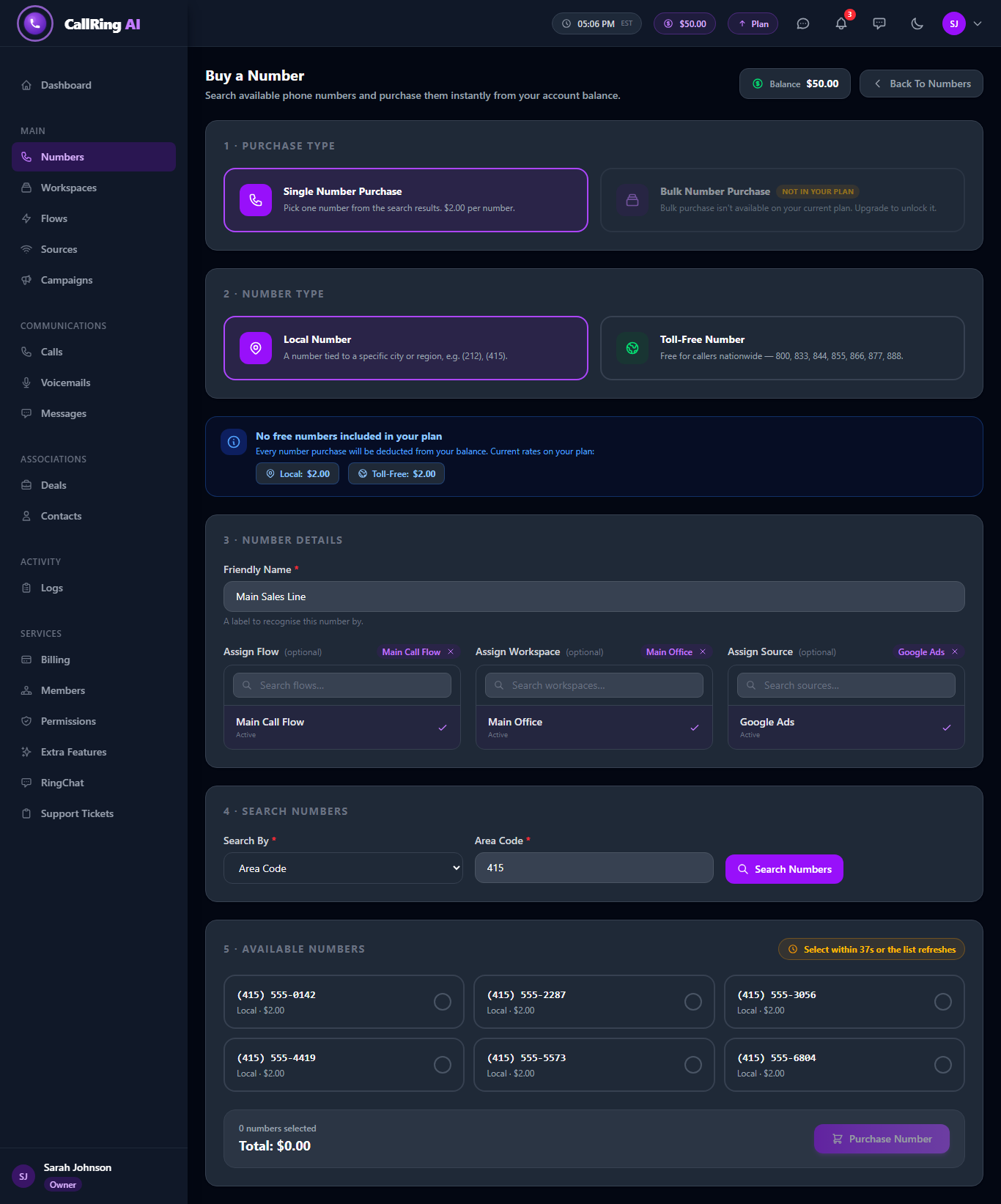
Search by area code or digits. The numbers shown are samples: yours will be different. -
Step 6: Select the number you want
Up to 6 numbers appear. Click the one you want to select it.
- If you do not choose within 40 seconds, the list refreshes with new numbers.
- Once you select a number, the timer pauses.
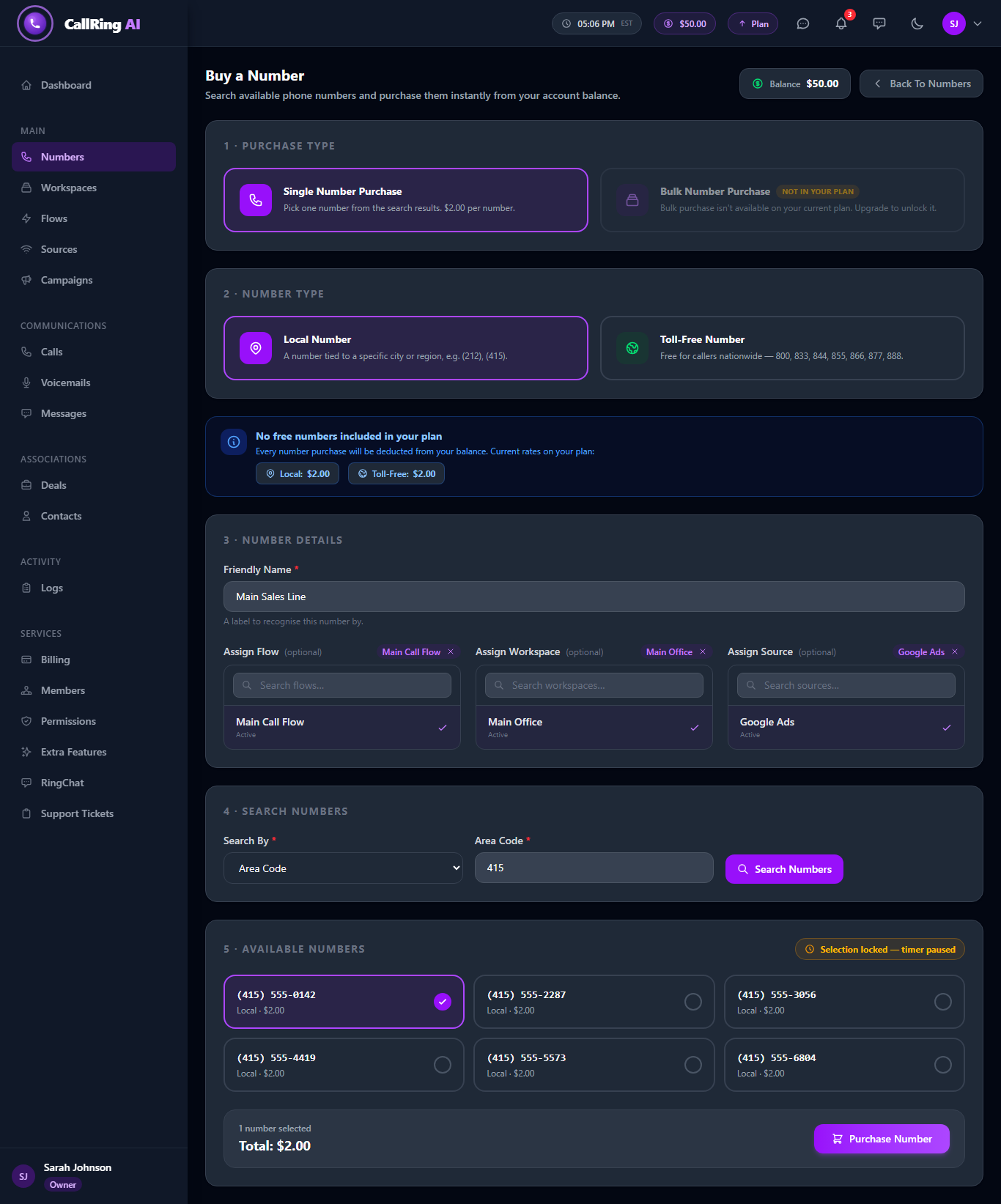
Select the number you want, then click Purchase Number -
Step 7: Click Purchase Number
Click Purchase Number. The cost is taken from your account balance. You then land on the Phone Numbers page, where your new number shows as Active.
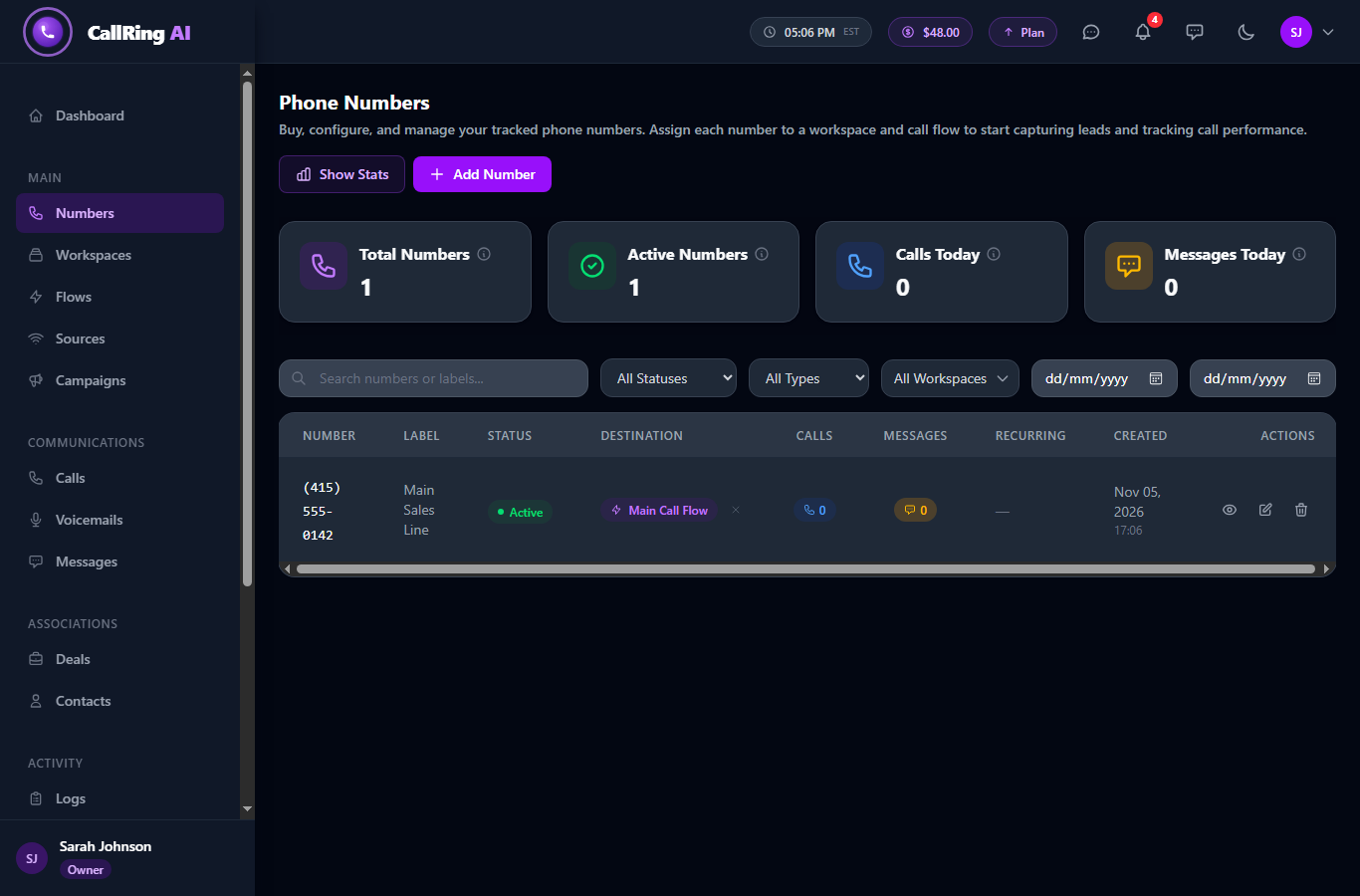
Your number is now active
Good to know
- The cost is deducted from your account balance. Free numbers included in your plan are used first.
- Your balance must stay above $5. At $5 or less, your account is limited to the Balance page until you top up. See How to Top Up Your Balance.
- If your balance is too low for the purchase, an error appears. Top up and try again.
- If someone else grabs a number first, you will see a “number unavailable” message. Pick another number.
- Team members buy numbers from the account owner’s balance, and only if they have permission to create numbers.
Frequently asked questions
Can I change the friendly name or assignments later?
Yes. The friendly name, Flow, Workspace and Source can all be changed after you buy the number.
What is the difference between local and toll-free?
A local number is tied to a city or region, like (415). A toll-free number is free for callers nationwide and starts with 800, 833, 844, 855, 866, 877 or 888.
Why is Bulk Number Purchase greyed out?
Bulk purchase is only available on some plans. If your plan does not include it, it shows “Not in your plan”.
What if no numbers match my search?
Try a different area code, or use Contains with fewer digits.
Can I keep a number I bought?
[TO CONFIRM: number ownership and release policy.]
How do I top up my balance?
Click Balance in the left menu, enter an amount under Add Balance and click Add Balance. Our guide “How to Top Up Your Balance” walks you through every step.
You now own a tracking number. Next, build a call flow that decides what happens when someone dials it.