How to Create a Source and a Campaign and Connect a Phone Number
A source is where your calls come from, for example Google Ads or Facebook. A campaign is a specific marketing effort under a source, with a budget, for example “Summer Promo 2026”. The screenshots use sample details, so use your own.
8 min read · 7 steps
Before you start
- A CallRing AI account (see the first guide)
- A phone number. If you do not have one yet, see How to buy a phone number
- A name for your source and for your campaign. You create the source first, because every campaign belongs to a source
-
Step 1: Part 1: Open Sources and click New Source
In the left menu, click Sources. Then click New Source.
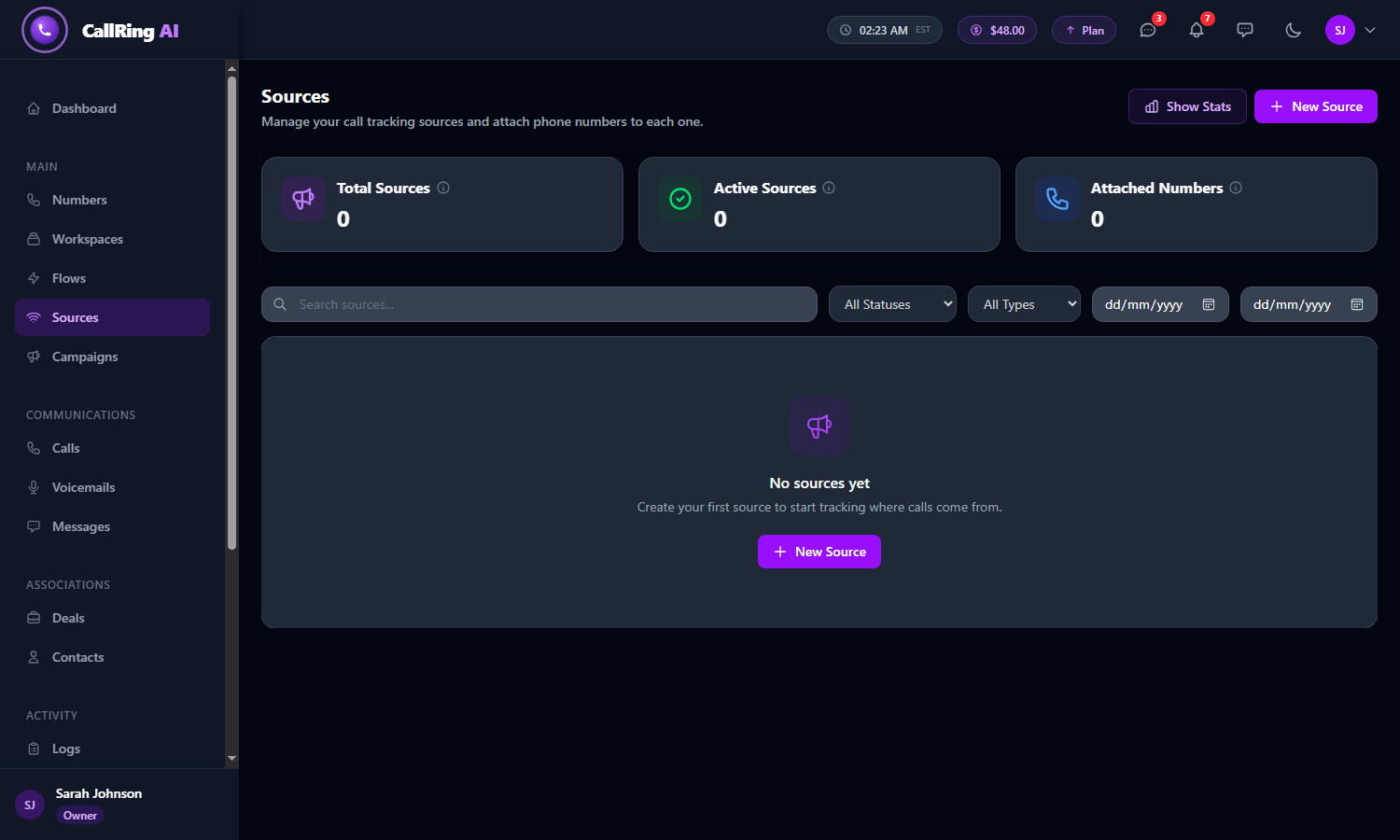
Open Sources and click New Source -
Step 2: Fill in the source details
A banner at the top shows your cost. If your plan has free sources left, it says so. Otherwise it says that creating this source costs a set amount, which is taken from your account balance. Then fill in Basic Info.
- Source Name (required), for example “Google Ads - Brand”.
- Description (optional).
- Type: Organic, Paid, Referral, Direct, Social or Other.
- Colour: pick a colour so the source is easy to spot in reports.
- Status: Active means the source is live and tracking. Inactive means it is paused.
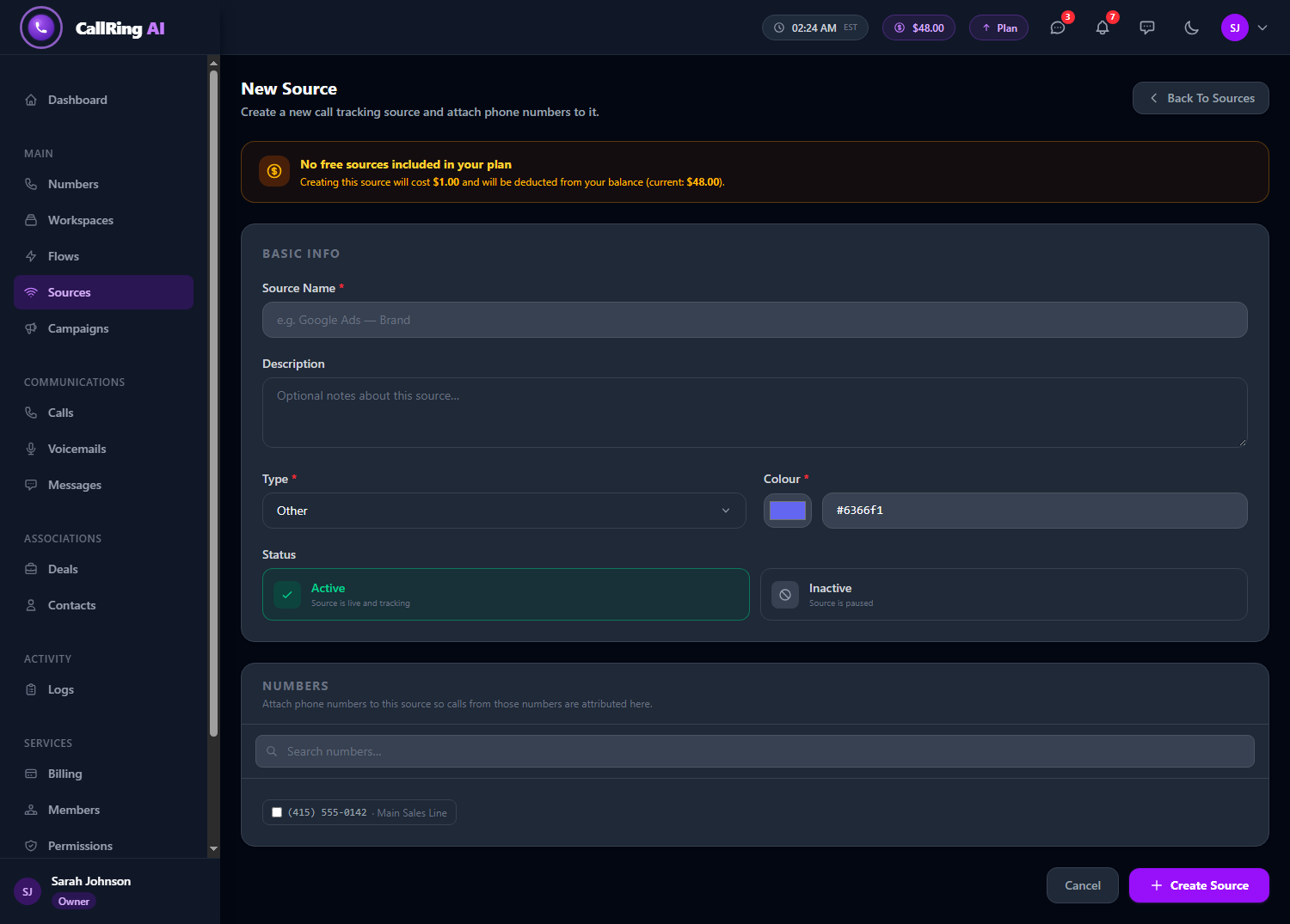
The New Source form -
Step 3: Attach a number and click Create Source
In the Numbers section, tick the phone numbers to attach to this source. Calls to those numbers are credited to this source. Use Search numbers... to find one. Then click Create Source. You return to the Sources list.
- You can attach numbers later too.
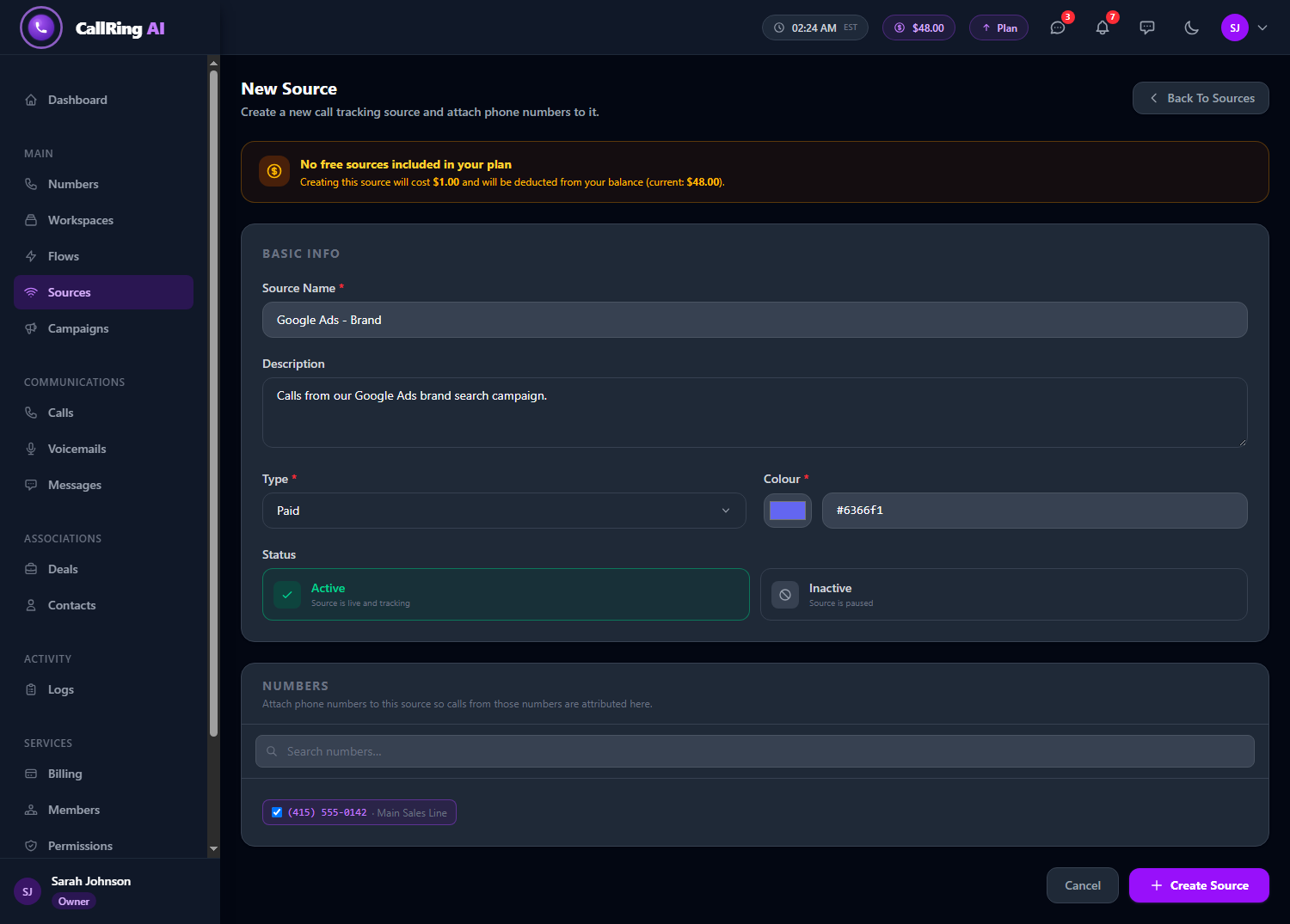
Fill in the details and tick the number to attach 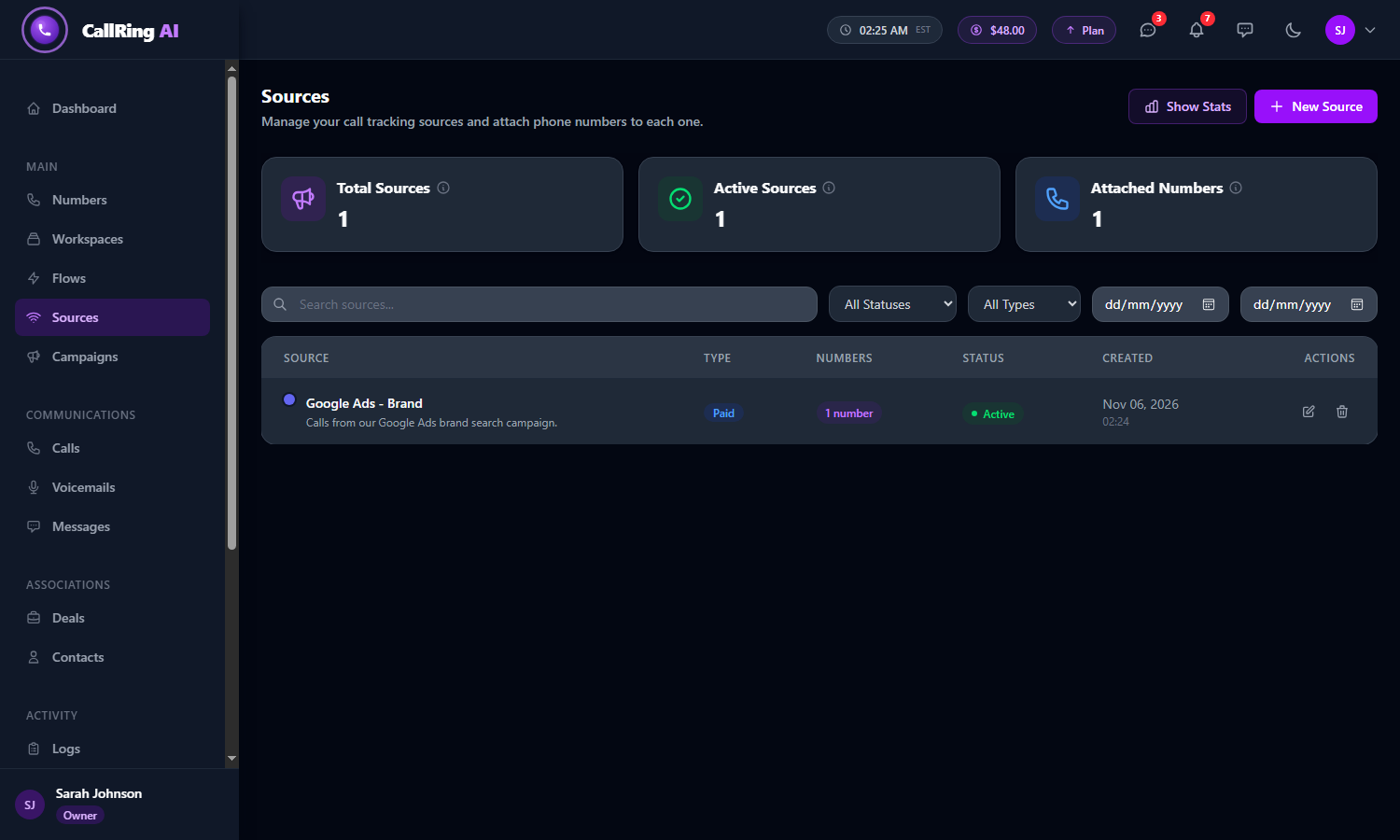
Your source appears in the list -
Step 4: Part 2: Open Campaigns and click New Campaign
In the left menu, click Campaigns. Then click New Campaign.
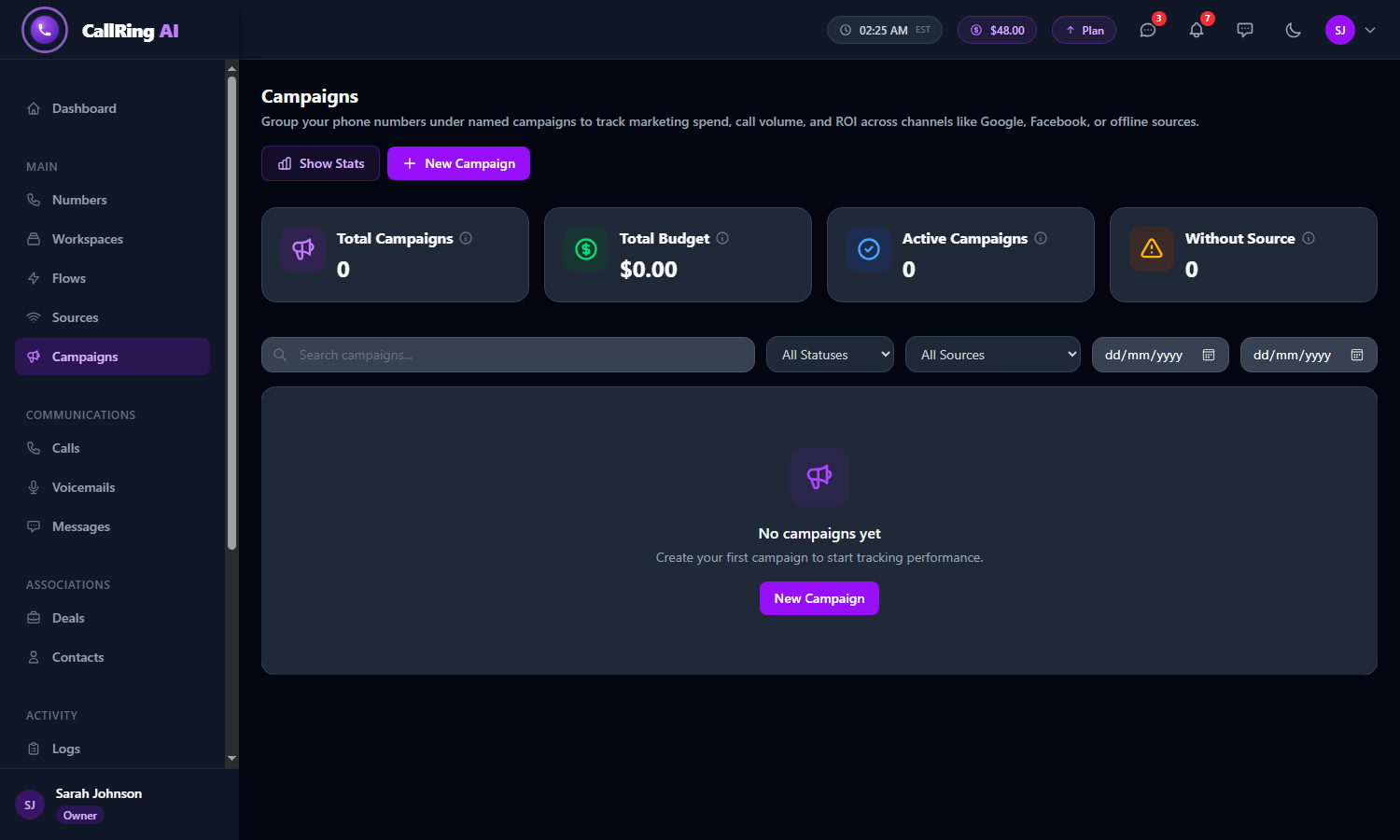
Open Campaigns and click New Campaign -
Step 5: Fill in the campaign details
Under Campaign Details, fill in the form, then click Create Campaign. The Campaigns list shows your campaign with its source, budget, number count and status.
- Campaign Name (required), for example “Summer Promo 2026”.
- Description (optional).
- Source (required). Choose from your active sources, so create the source first.
- Budget ($) (required), in dollars, for example 500.00.
- Status: Active, Paused or Inactive.
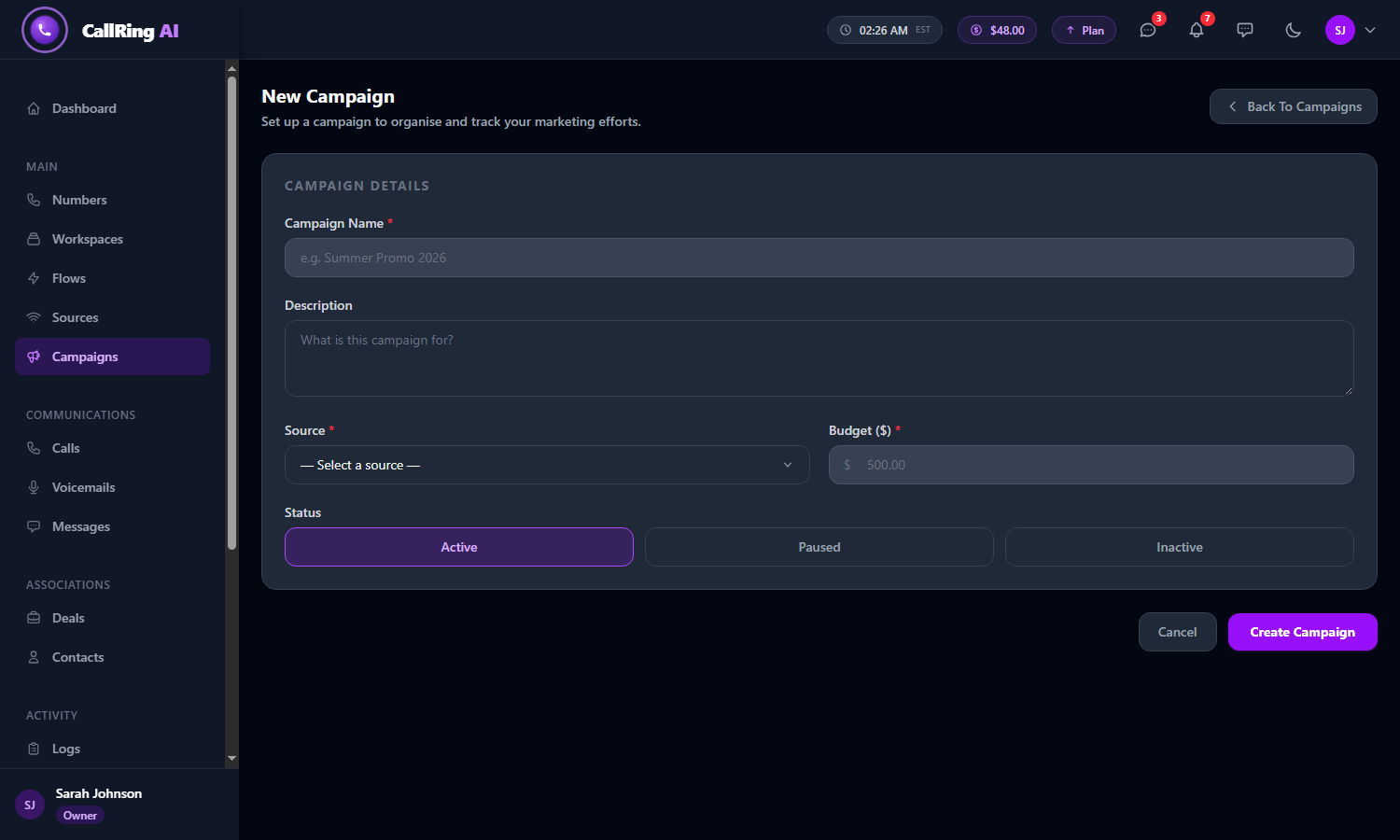
The New Campaign form 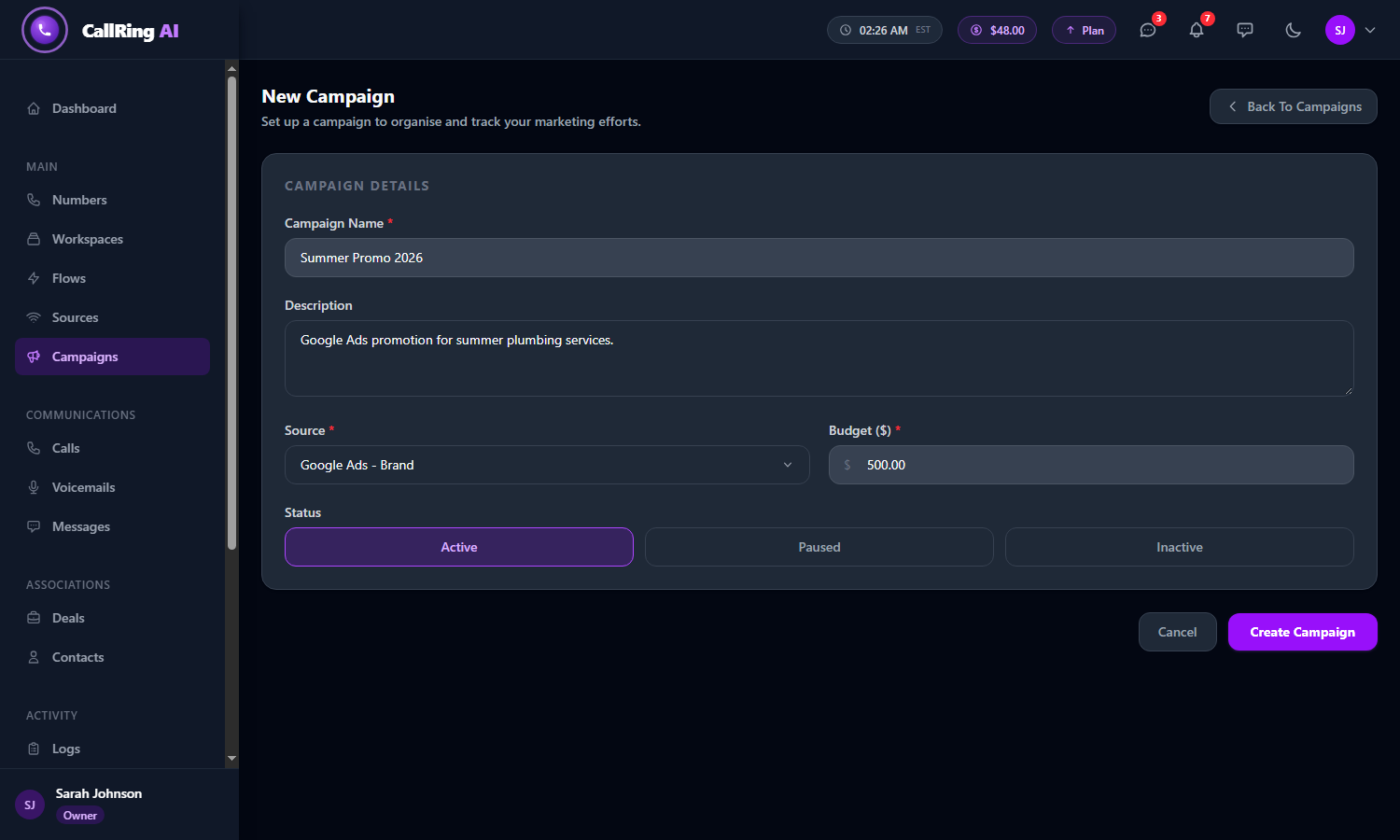
Choose a source and set a budget 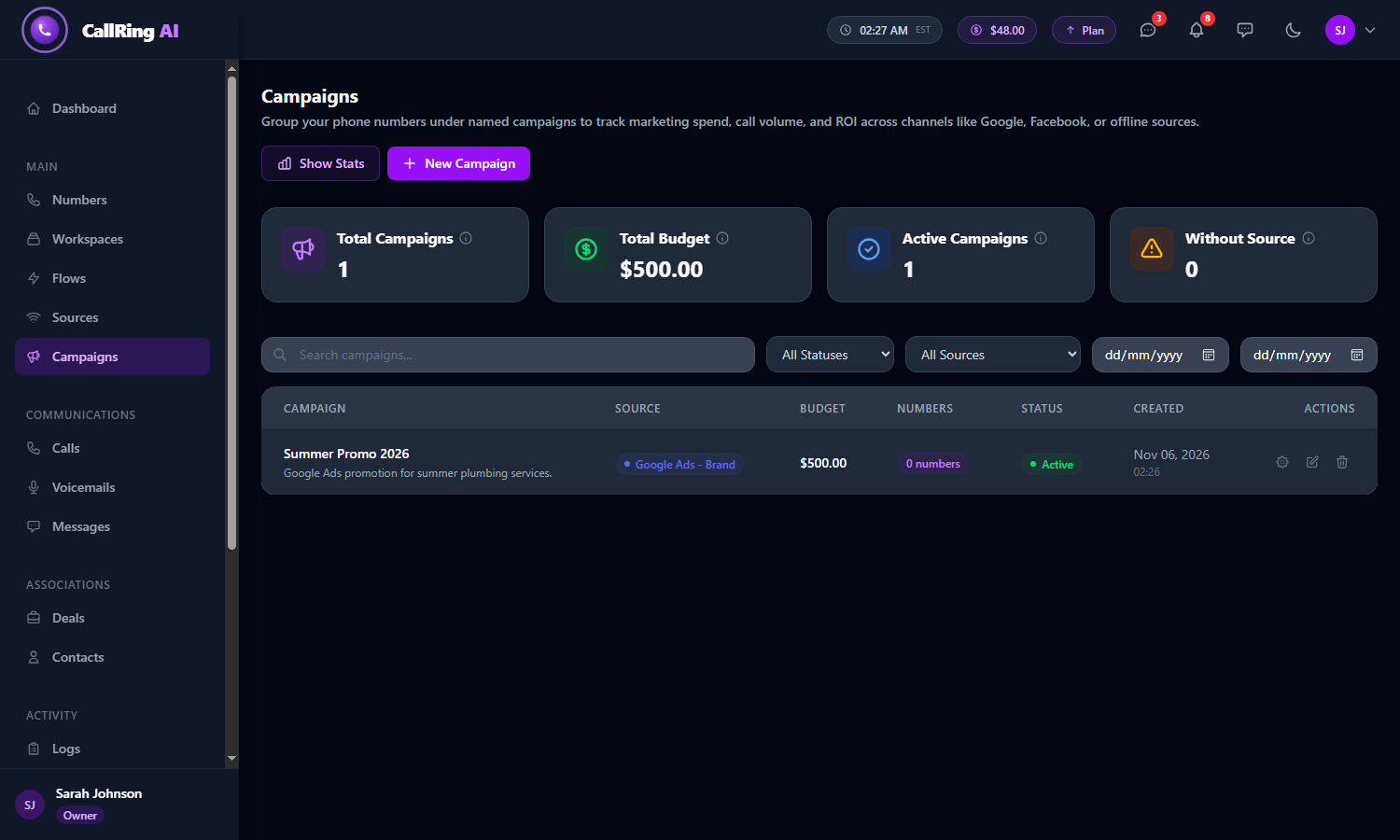
Your campaign appears in the list -
Step 6: Part 3: Open your campaign
On the Campaigns list, click the gear icon on your campaign to open it. The left panel, Attached Numbers, says “Calls from these numbers are tracked under this campaign”.
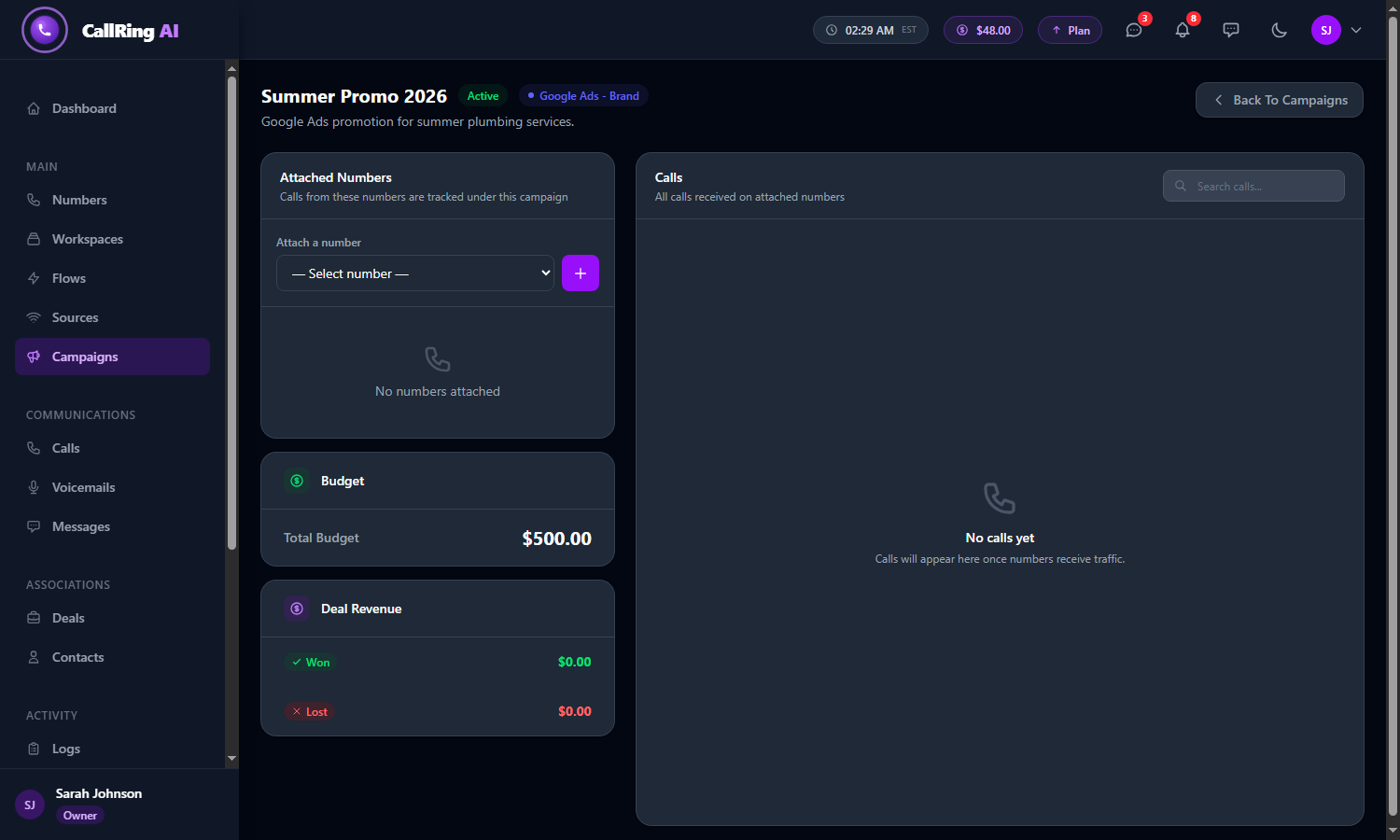
Open the campaign to see its Attached Numbers panel -
Step 7: Connect a number to the campaign
Choose a number under Attach a number and click the purple + button. [TO CONFIRM: attaching works as described. Do not publish this part until the CallRing team confirms the button works.]
- The page also shows the campaign’s Total Budget, Deal Revenue (won and lost) and a Calls list for all calls received on its attached numbers.
- You can detach a number at any time to stop tracking it under the campaign.
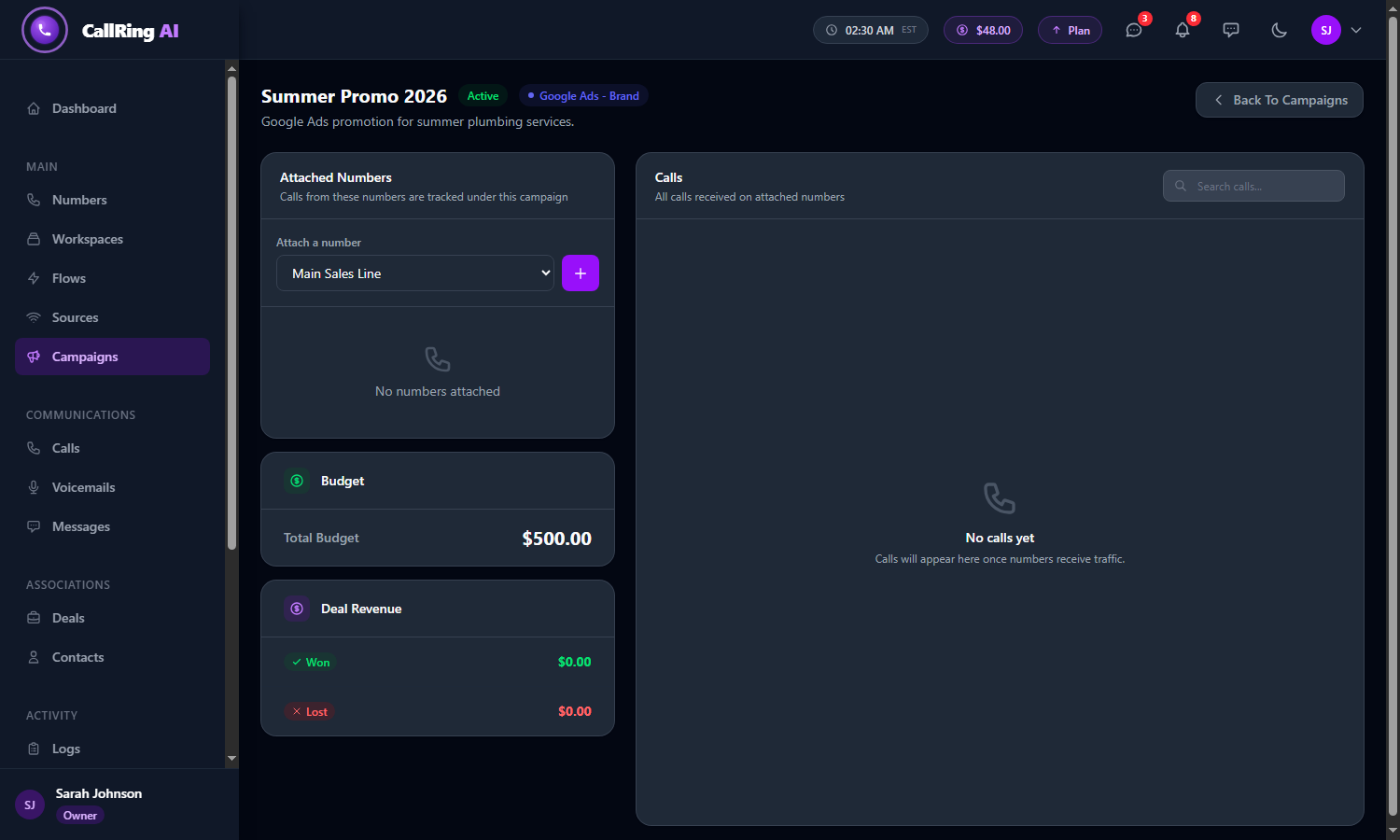
Choose a number under Attach a number Tip: You need a number first. See How to buy a phone number in CallRing AI.
Good to know
- A campaign must belong to a source, so create the source first.
- The source is the channel. The campaign is the specific effort.
- Whether one number can belong to several campaigns: [TO CONFIRM]
Frequently asked questions
What is the difference between a source and a campaign?
A source is where your calls come from, such as Google Ads or Facebook. A campaign is a specific marketing effort under a source, with its own budget, such as “Summer Promo 2026”.
Do I need to create a source before a campaign?
Yes. A campaign must belong to a source, so create the source first.
Does a source cost money?
If your plan has free sources left, the banner on the New Source form says so. Otherwise the banner shows the cost of creating the source, which is taken from your account balance.
Why can’t I pick a source when creating a campaign?
The Source list shows your active sources. If it is empty, create a source first, and make sure its status is Active.
How do I see which campaign brought a call?
Open the campaign. Its Calls list shows all calls received on the numbers attached to it.
Can I edit or delete a source or a campaign?
[TO CONFIRM: whether and how a source or campaign can be edited or deleted.]
Your source and campaign are set up. Once a number is attached, its calls are tracked under the campaign.